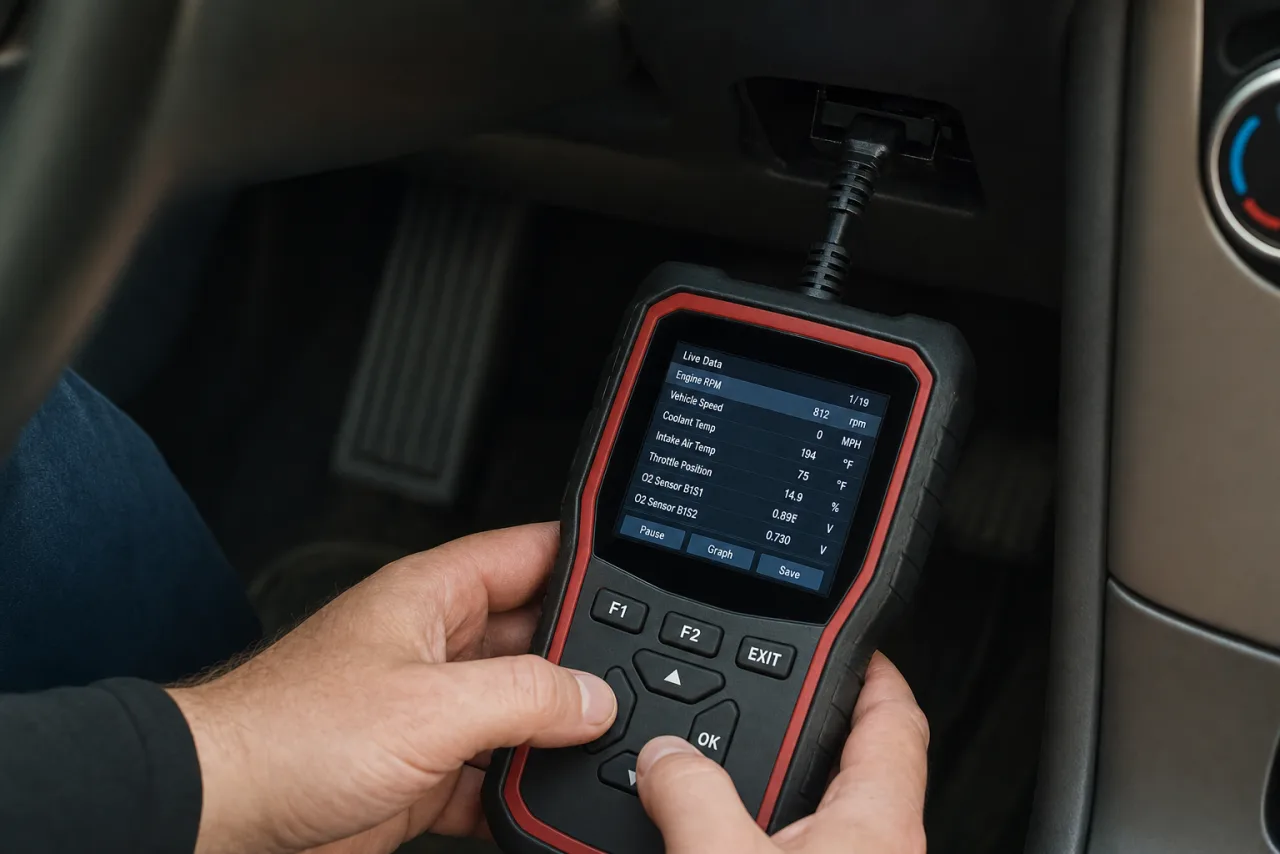
An OBD2 scanner is one of the highest-value tools you can own if you drive or buy used cars, and yet the market is flooded with options ranging from ten-dollar dongles to thousand-dollar professional units. The good news is that for most people, including anyone buying used cars, a modestly priced scanner does 90% of what matters. The trick is knowing which features actually earn their keep and which are marketing. This guide explains what an OBD2 scanner does, the features worth paying for, budget versus pro picks, and why a scanner belongs in the toolkit of anyone shopping for a used car.
What an OBD2 scanner does
Every car sold in the US since 1996 has an OBD2 (on-board diagnostics) port, usually under the dashboard near the steering column. A scanner plugs into that port and talks to the car’s computer. At minimum it can:
- Read diagnostic trouble codes (DTCs), the codes behind a check engine light, like the misfire codes explained in the engine misfire guide.
- Read pending codes, faults the car has noticed but not yet turned into a warning light. These matter enormously when buying used, because they reveal problems a seller cannot easily hide.
- Clear codes and reset the check engine light, though clearing without fixing the cause is a bad idea.
- Check readiness monitors, the self-tests the car runs. If a car’s codes were just cleared, the monitors read “not ready,” which is a giveaway that someone reset the light right before you arrived.
That last point is the reason a scanner is so powerful for a buyer. A seller can clear a check engine light, but they cannot instantly make the readiness monitors pass, so a wall of “not ready” monitors tells you the light was cleared recently. What the check engine light means in general is covered in the check engine light guide.
Features that actually matter
Ignore the flashy extras and focus on these:
- Reads pending codes and readiness monitors, not just active codes. This is non-negotiable for used-car shopping, as explained above.
- Live data, the ability to watch real-time sensor readings like coolant temperature, fuel trims, and oxygen sensor output. This helps diagnose problems, not just read codes.
- ABS and other module access. Cheaper scanners often read only the engine (powertrain) codes. If you want to catch a stuck stability control fault, you need one that reads ABS and chassis codes too.
- Freeze-frame data, a snapshot of conditions when a code set, which helps pin down intermittent faults.
- A code lookup or definition feature, so a raw code like P0301 comes with a plain-English meaning.
Features you can usually skip for personal use: fancy graphing, ECU programming, and manufacturer-specific dealer functions, unless you have a specific reason.
Budget vs pro: what to actually buy
Three tiers cover almost everyone:
Budget Bluetooth dongles (roughly $20 to $60). These plug into the OBD2 port and pair with a phone app. For reading and clearing codes, checking pending codes, and viewing readiness monitors, a decent one is genuinely all a used-car buyer needs. Stick to reputable brands, since the cheapest no-name dongles can be unreliable or even drain the battery if left plugged in.
Mid-range handheld scanners (roughly $60 to $200). A standalone screen, no phone required, often with ABS access and live data. Good for someone who works on their own cars regularly and wants a self-contained tool.
Professional scanners ($200 and up, often much more). Bidirectional controls, module programming, deep manufacturer coverage. Overkill for buyers and most DIYers, aimed at shops and serious hobbyists.
For the specific job of inspecting used cars, a well-reviewed budget Bluetooth unit or a modest handheld is the sweet spot. Deeper comparisons live in the OBD2 scanner guide.
Why a scanner matters when buying a used car
Here is the core value. A used car with a cleared check engine light looks perfect on a short drive, then the light returns a week later revealing a problem the seller knew about. A scanner defeats that. Plug in, read the pending codes and readiness monitors, and you see through the reset. Combine that with a visual and mechanical inspection, and you catch the expensive traps, from a lurking misfire to a hidden emissions fault, before you pay. Fold the scan into a full used-car inspection and a proper test drive.
This is exactly why the MotoPPI app includes an OBD scan in its inspection flow. It reads the stored and pending codes and records them in your report, so you get the scanner’s insight as part of a structured pre-purchase check, without needing to interpret raw codes on your own.
A few practical tips for using one
Do not leave a dongle plugged in permanently. Some cheap Bluetooth adapters keep the car’s network partly awake and can slowly drain the battery over days of sitting. Unplug it when you are done, or buy one with a proper sleep mode.
Codes are clues, not conclusions. A code like P0171 (system lean) tells you where to look, not what part to buy. The same code can come from a vacuum leak, a weak fuel pump, or a dirty sensor. Read the code, then diagnose, rather than throwing parts at it.
Check freeze-frame and live data before clearing. Once you clear a code, you lose the snapshot of what the car was doing when the fault happened. On a used car especially, read everything first, then decide.
Match the scanner to the car’s age. Every US car from 1996 on has OBD2, but very old or imported vehicles may use different protocols. Almost any modern scanner handles standard US OBD2, so this is rarely an issue, but it is worth a glance if the car is unusual.
The bottom line
You do not need an expensive OBD2 scanner. For driving and especially for buying used cars, a reputable budget Bluetooth dongle or a modest handheld that reads pending codes and readiness monitors covers almost everything that matters. Prioritize pending codes, readiness monitors, live data, and ABS access over flashy pro features you will never use. And if you buy or shop for used cars at all, treat a scanner as essential, because the ability to see through a freshly cleared check engine light can save you thousands on a single purchase.